


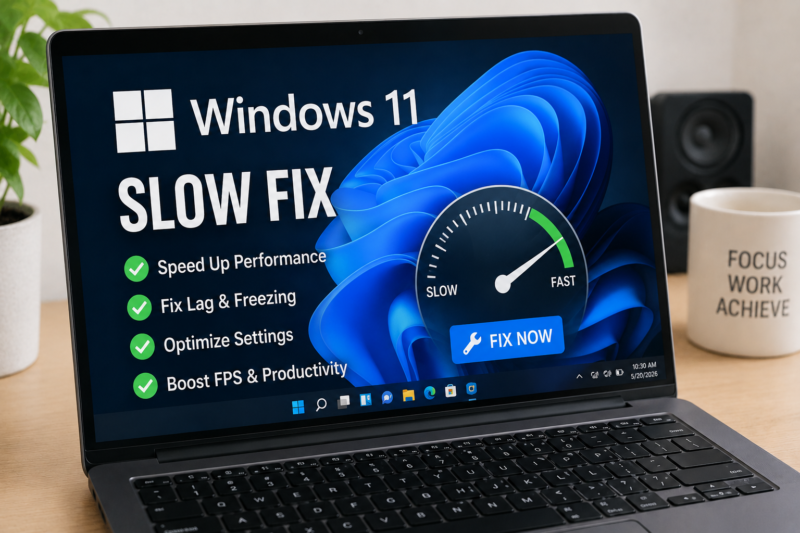
Jakarta-Windows 11 users continue searching for effective ways to fix slow performance issues in 2026 as more laptops and desktop PCs experience lag after software updates, background apps, and storage overload. Searches for “Windows 11 Slow Fix” are rapidly increasing on Google because many users report slower boot times, freezing, delayed response, and high memory usage after installing updates or running multiple applications simultaneously. Slow PC performance has become one of the most common tech problems affecting students, office workers, gamers, and remote employees worldwide.
One of the biggest causes of Windows 11 slowdown is excessive startup applications. Many programs automatically launch when the computer starts, consuming RAM and CPU resources before users even open important applications. Experts recommend disabling unnecessary startup apps through Task Manager to improve boot speed and overall performance. Applications such as messaging tools, game launchers, and cloud syncing services often run silently in the background and significantly reduce system responsiveness over time.
Another common issue affecting Windows 11 speed is insufficient storage space. Computers with nearly full SSDs or hard drives often experience slower read and write speeds, causing lag during multitasking and file transfers. Technology experts suggest maintaining at least 20% free storage space to keep Windows 11 operating smoothly. Deleting temporary files, uninstalling unused software, and using built-in storage cleanup tools can help improve performance without requiring expensive hardware upgrades.
Outdated drivers are also a major factor behind slow Windows 11 systems. Graphics drivers, chipset software, and network drivers play important roles in maintaining system stability and performance. Users are encouraged to regularly update drivers through Windows Update or official manufacturer websites. Many performance issues, including stuttering and freezing, can often be fixed simply by installing the latest compatible drivers for the system.
Windows visual effects and animations may also slow down lower-end PCs and laptops. While Windows 11 offers modern interface animations and transparency effects, these features can consume additional processing power on devices with limited RAM or older processors. Disabling unnecessary visual effects through advanced system settings can make the operating system feel significantly faster, especially on budget laptops and office computers.
Background processes and malware are additional reasons many users experience slow performance. Cybersecurity experts recommend running regular antivirus scans and monitoring CPU usage through Task Manager. Certain malicious programs or hidden background services can quietly consume resources, causing high disk usage and overheating. Keeping Windows Defender active and avoiding suspicious downloads remain important steps for maintaining system health and performance.
One of the most effective solutions for speeding up Windows 11 in 2026 is upgrading from a traditional hard drive to an SSD. Solid-state drives provide dramatically faster boot times, quicker application loading, and smoother multitasking compared to older HDD technology. Many users report major performance improvements after switching to SSD storage even without upgrading RAM or processors. SSD upgrades continue becoming more affordable, making them one of the best performance investments for older PCs.
RAM management also plays a critical role in Windows 11 performance. Users running multiple browser tabs, editing software, or gaming applications may experience lag if the system has insufficient memory. Closing unnecessary apps and reducing browser extensions can help lower RAM usage. Technology experts say 8GB RAM is now considered the minimum comfortable standard for Windows 11, while 16GB provides better multitasking performance for heavier workloads.
Microsoft continues releasing optimization updates aimed at improving Windows 11 stability and speed throughout 2026. However, experts emphasize that regular maintenance remains essential for keeping systems fast and responsive. By cleaning storage, disabling unnecessary startup apps, updating drivers, scanning for malware, and optimizing settings, users can significantly improve Windows 11 performance without buying a new computer. As digital workloads continue increasing globally, PC optimization has become more important than ever for productivity and everyday computing.
FAQ About Windows 11 Slow Fix
Why is my Windows 11 computer running slow?
Common causes include too many startup apps, low storage space, outdated drivers, malware, and insufficient RAM.
How can I speed up Windows 11 without upgrading hardware?
You can disable startup apps, clean temporary files, update drivers, reduce visual effects, and remove unnecessary software.
Does SSD improve Windows 11 performance?
Yes. SSDs significantly improve boot speed, file loading, and overall system responsiveness compared to HDDs.
Is Windows 11 heavier than Windows 10?
Windows 11 generally requires more system resources because of newer features, animations, and security requirements.
How much RAM is recommended for Windows 11?
8GB RAM is recommended for normal usage, while 16GB is better for gaming and multitasking.
Can malware slow down Windows 11?
Yes. Malware and background viruses can consume CPU, RAM, and storage resources, causing severe slowdowns. (Tim)