


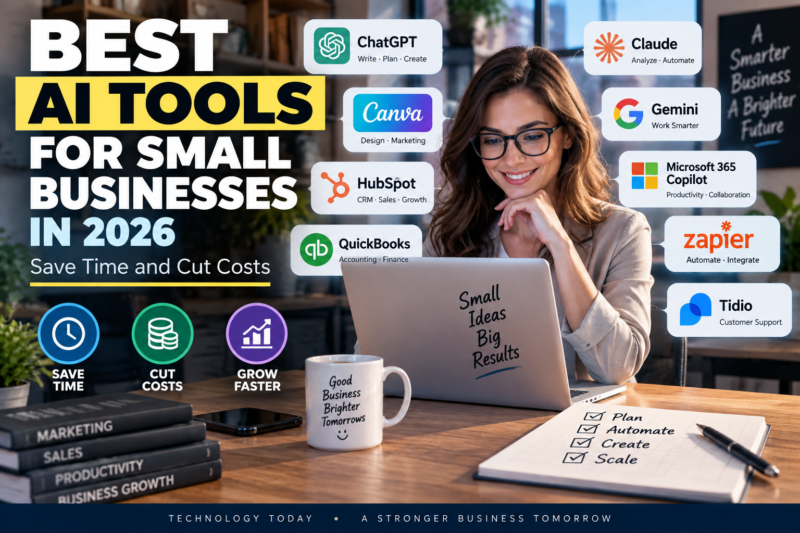
Kayonews-Artificial intelligence is becoming one of the most practical ways for small businesses to save time, reduce repetitive work and operate with smaller teams.
The challenge is no longer finding an AI tool. There are thousands of them.
The real question is: Which AI tools are actually worth paying for?
For a small business, the best AI software should solve a specific problem, be relatively easy to implement and produce measurable savings in time, labor or operating costs.
In this guide, we compare some of the best AI tools for small businesses in 2026, including AI assistants, marketing platforms, automation software, CRM tools, accounting solutions and productivity applications.
Quick Answer: The Best AI Tools for Small Business in 2026
Here are our top picks by business function:
| AI Tool | Best For | Ideal Business |
|---|---|---|
| ChatGPT Business | General AI and productivity | Almost any small business |
| Claude for Small Business | Business workflows and documents | Service businesses and agencies |
| Google Workspace with Gemini | Email, documents and collaboration | Google-based teams |
| Microsoft 365 Copilot | Office productivity | Microsoft 365 businesses |
| Zapier AI | Workflow automation | Businesses using multiple apps |
| Canva | Marketing and visual content | Small brands and retailers |
| HubSpot | CRM, sales and marketing | Growing businesses |
| QuickBooks Online | Accounting and bookkeeping | Small businesses and freelancers |
| Perplexity | Research | Consultants, marketers and analysts |
| Tidio | Customer support | E-commerce and service businesses |
The right choice depends on your workflow. Recent 2026 comparisons similarly emphasize choosing AI according to the specific job rather than trying to adopt dozens of tools at once.
1. ChatGPT Business — Best Overall AI Tool
ChatGPT Business is one of the strongest all-purpose AI options for small businesses.
It can help teams draft emails, create marketing content, analyze documents, brainstorm ideas, summarize information, write reports, assist with coding and build customized workflows.
For businesses, the Business plan currently lists a Standard seat at $20 per user per month when billed annually, or $25 monthly. A Premium seat is listed at $100 annually billed or $125 monthly. Business workspaces require at least two paid seats.
Best uses
- Writing emails
- Creating marketing copy
- Research
- Document analysis
- Business planning
- Data analysis
- Customer communication
- Internal knowledge work
- Coding assistance
- Workflow automation
Best for
Small businesses that want one AI assistant capable of handling many different tasks.
Potential downside
Businesses need to establish clear rules about what employees can enter into AI systems, particularly when dealing with confidential customer or financial information.
2. Claude for Small Business — Best for Business Workflows
Claude for Small Business has become particularly interesting for small businesses because Anthropic has developed workflows that connect Claude with business applications.
The Small Business solution can connect with tools such as QuickBooks, PayPal, HubSpot, Canva, DocuSign, Google Workspace and Microsoft 365.
That means the value is not simply asking an AI chatbot a question.
Claude can be used for workflows such as:
- Payroll planning
- Cash forecasting
- Month-end close
- Customer follow-ups
- Contract review
- CRM maintenance
- Business reporting
- Growth campaigns
Anthropic says the system does not train on business data and respects permissions in connected applications.
Best for
Business owners who want AI to perform multi-step administrative workflows rather than simply generate text.
3. Google Workspace with Gemini — Best for Google Users
For businesses already using Gmail, Google Docs, Sheets and Meet, Google’s AI tools can fit naturally into existing workflows.
Google Workspace integrates AI capabilities into productivity workflows, reducing the need to move information between separate applications.
Useful for
- Writing emails
- Summarizing email threads
- Creating documents
- Analyzing spreadsheets
- Meeting assistance
- Business presentations
- Research
- Team collaboration
Best for
Small businesses already heavily invested in Google’s ecosystem.
Main advantage
Employees can work with AI without completely changing the software environment they already understand.
4. Microsoft 365 Copilot — Best for Microsoft-Based Businesses
Microsoft 365 Copilot is designed for businesses that rely on Microsoft applications.
It can assist with tasks across applications such as:
- Word
- Excel
- PowerPoint
- Outlook
- Teams
For a company already using Microsoft 365, the advantage is integration.
Instead of moving information into a separate AI application, employees can use AI within familiar business software.
Best for
- Professional services
- Accounting firms
- Sales teams
- Consultants
- Office-based businesses
- Companies already using Microsoft 365
Potential downside
The economics make the most sense when a company already depends heavily on Microsoft’s ecosystem.
5. Zapier AI — Best for Automation
Zapier is useful when a business has too many repetitive tasks between different applications.
For example:
New customer form submitted
↓
Add customer to CRM
↓
Send confirmation email
↓
Create task for sales representative
↓
Update spreadsheet
↓
Notify team
AI and automation can reduce the amount of manual work required for these processes.
Zapier’s 2026 AI model system uses different model tiers, with Standard, Advanced and Premium levels consuming different amounts of task usage.
Best for
Businesses that use multiple SaaS applications and want them to work together automatically.
Potential savings
Automation is particularly valuable because it can eliminate repetitive administrative tasks rather than simply making those tasks faster.
6. Canva — Best AI Tool for Marketing Design
Canva is one of the most accessible choices for businesses that need professional-looking visual content without hiring a full-time designer.
Small businesses can use AI-assisted design capabilities for:
- Social media posts
- Advertisements
- Presentations
- Flyers
- Business proposals
- Product graphics
- Video content
- Marketing campaigns
Best for
- Retail businesses
- Restaurants
- E-commerce
- Real estate agents
- Consultants
- Personal brands
- Local businesses
Why it matters
Hiring a designer for every social post or promotional graphic can become expensive.
A business can use Canva to create a first version quickly and have a human review and refine the final material.
7. HubSpot — Best for CRM and Sales
HubSpot combines CRM, marketing, sales and customer-management functionality.
AI can help businesses with:
- Lead management
- Customer communication
- Sales research
- Marketing campaigns
- Customer support
- CRM administration
- Content creation
HubSpot’s AI ecosystem has increasingly focused on agents and outcome-based workflows in 2026. Recent comparisons highlight HubSpot as one of the strongest starting points for businesses that need CRM and sales automation.
Best for
Businesses that are growing their sales pipeline and need a central place to manage leads and customers.
8. QuickBooks Online — Best for AI-Assisted Accounting
QuickBooks Online can help small businesses automate parts of their accounting and bookkeeping workflow.
Potential uses include:
- Expense categorization
- Invoicing
- Financial reports
- Bookkeeping assistance
- Cash-flow visibility
- Transaction management
AI should not replace professional accounting judgment for complicated financial or tax decisions.
Instead, the strongest use case is reducing repetitive bookkeeping work so business owners and accountants can spend more time reviewing the numbers.
Best for
- Freelancers
- Contractors
- Small agencies
- Retail businesses
- Service businesses
9. Perplexity — Best for Business Research
Perplexity can be useful for research-heavy businesses.
Instead of manually opening dozens of search results, businesses can use AI research tools to quickly identify information and sources.
Useful for
- Competitor research
- Market research
- Industry research
- Product research
- Content research
- Business reports
However, important facts should still be verified against primary sources before being used in financial, legal or strategic decisions.
Best for
Consultants, marketers, analysts, writers and business owners who regularly conduct online research.
10. Tidio — Best for AI Customer Support
Tidio combines customer messaging with AI-powered support capabilities.
For an online business, AI customer support can answer routine questions such as:
- What are your opening hours?
- Where is my order?
- What is your return policy?
- How much does shipping cost?
- Which product should I choose?
The objective is not necessarily to eliminate human support.
Instead, AI can handle repetitive questions while employees focus on complex customer problems.
Best for
- E-commerce
- Online services
- SaaS companies
- Retail
- Businesses with frequent customer inquiries
How Much Can AI Save a Small Business?
The answer depends on the workflow.
A business might save only a few minutes per task, but repeated hundreds of times per month, those savings can become substantial.
For example:
If AI saves 1 hour per day for a five-person team:
1 hour × 5 employees × 20 working days = 100 hours per month
At an internal labor cost of $25 per hour:
100 × $25 = $2,500 of potential monthly productivity value.
That does not mean the business automatically saves $2,500 in cash.
The real benefit may instead be that employees have more time for:
- Sales
- Customer relationships
- Product development
- Marketing
- Business strategy
How to Calculate Your AI ROI
Before buying an AI subscription, calculate:
Monthly AI Cost ÷ Monthly Hours Saved = Cost per Hour Saved
For example:
A $50/month AI stack that saves 10 hours per month costs:
$50 ÷ 10 = $5 per hour saved.
If the employee’s productive time is worth significantly more than $5 per hour, the tool may have a strong business case.
Don’t Buy Too Many AI Tools
One of the biggest mistakes small businesses can make is subscribing to too many AI platforms.
A typical small-business AI stack does not need dozens of applications.
A better approach is:
Step 1: Find the biggest time-consuming task
Examples:
- Customer support
- Bookkeeping
- Marketing
- Sales follow-up
- Scheduling
- Research
Step 2: Choose one tool
Test it for 30 days.
Step 3: Measure the result
Track:
- Hours saved
- Employees affected
- Subscription cost
- Revenue generated
- Errors reduced
Step 4: Expand only if the numbers make sense
This approach reduces software costs and prevents employees from becoming overwhelmed by too many new systems.
Best AI Stack for a Small Business in 2026
A simple AI stack could look like this:
Solo business owner
ChatGPT + Canva + QuickBooks
Good for:
- Content
- Research
- Marketing
- Design
- Accounting
Small service company
ChatGPT + HubSpot + Zapier + Canva
Good for:
- Leads
- Sales
- Marketing
- Automation
- Customer management
Google-based company
Google Workspace + Gemini + ChatGPT + Zapier
Good for:
- Documents
- Research
- Automation
Microsoft-based company
Microsoft 365 + Copilot + HubSpot + Zapier
Good for:
- Office productivity
- Sales
- Customer management
- Automation
AI Tools vs. Hiring Another Employee
AI does not necessarily replace employees.
For many small businesses, its biggest value is employee leverage.
Instead of asking:
“Can AI replace this employee?”
A better question is:
“Can AI allow this employee to accomplish more valuable work?”
For example, an employee who spends three hours every Monday preparing a report could potentially use AI to create a first draft in minutes and spend the remaining time checking the numbers and making decisions.
That can increase productivity without eliminating the human role.
Important AI Risks for Small Businesses
AI can create significant benefits, but businesses should also consider the risks.
1. Incorrect information
AI can generate inaccurate information.
Always verify important facts.
2. Data privacy
Do not upload sensitive customer, financial, medical or confidential business information unless the service and your company’s policies allow it.
3. Human review
AI-generated financial, legal, medical or customer-facing content should receive appropriate human review.
4. Vendor dependency
A business that becomes dependent on one AI provider should have a backup plan.
5. Hidden costs
AI subscriptions may have usage limits, additional credits or premium features.
Always check the current pricing and usage terms.
What Is the Best AI Tool for a Small Business?
There is no single AI tool that is best for every company.
For general productivity, ChatGPT Business is a strong all-around choice.
For connected business workflows, Claude for Small Business is particularly interesting.
For Google-based companies, Google Workspace with Gemini makes sense.
For Microsoft users, Microsoft 365 Copilot is a natural option.
For automation, Zapier AI can connect different applications.
For marketing design, Canva is one of the easiest tools to adopt.
For CRM and sales, HubSpot is a strong choice.
For accounting, QuickBooks Online can help reduce repetitive financial administration.
For research, Perplexity is useful for source-oriented information gathering.
For customer service, Tidio can automate routine conversations.
Final Verdict
The best AI tools for small businesses in 2026 are not necessarily the tools with the most impressive demonstrations.
The best tools are the ones that solve expensive problems repeatedly.
A small business should start with one workflow, measure the time and money saved, and expand the AI stack only when the return is clear.
For most businesses, the biggest opportunities are:
AI assistants → automation → marketing → sales → customer support → accounting.
The goal is not to use AI everywhere.
The goal is to use AI where it creates measurable business value.
Disclaimer: This article is for informational purposes only. AI capabilities, pricing, limits, integrations and terms can change. Always check the provider’s current pricing and privacy documentation before purchasing software or connecting business data. (*)
Editor : Fanda Yosephta